

Open remote access
Open remote access to work with an instrument as if you stood in front of it: check its settings, read its log, or run a manual measurement. The connection runs through the site’s router (gateway), so you need no VPN.
-
In the left navigation, open Devices and select the device.
-
At the top right, select Web interface to open the instrument’s own web page, or Remote control to see and operate its screen. On a phone, both are in the menu (⋮).
-
Work in the window that opens.
-
Close the window when you are done. Closing it ends the session.
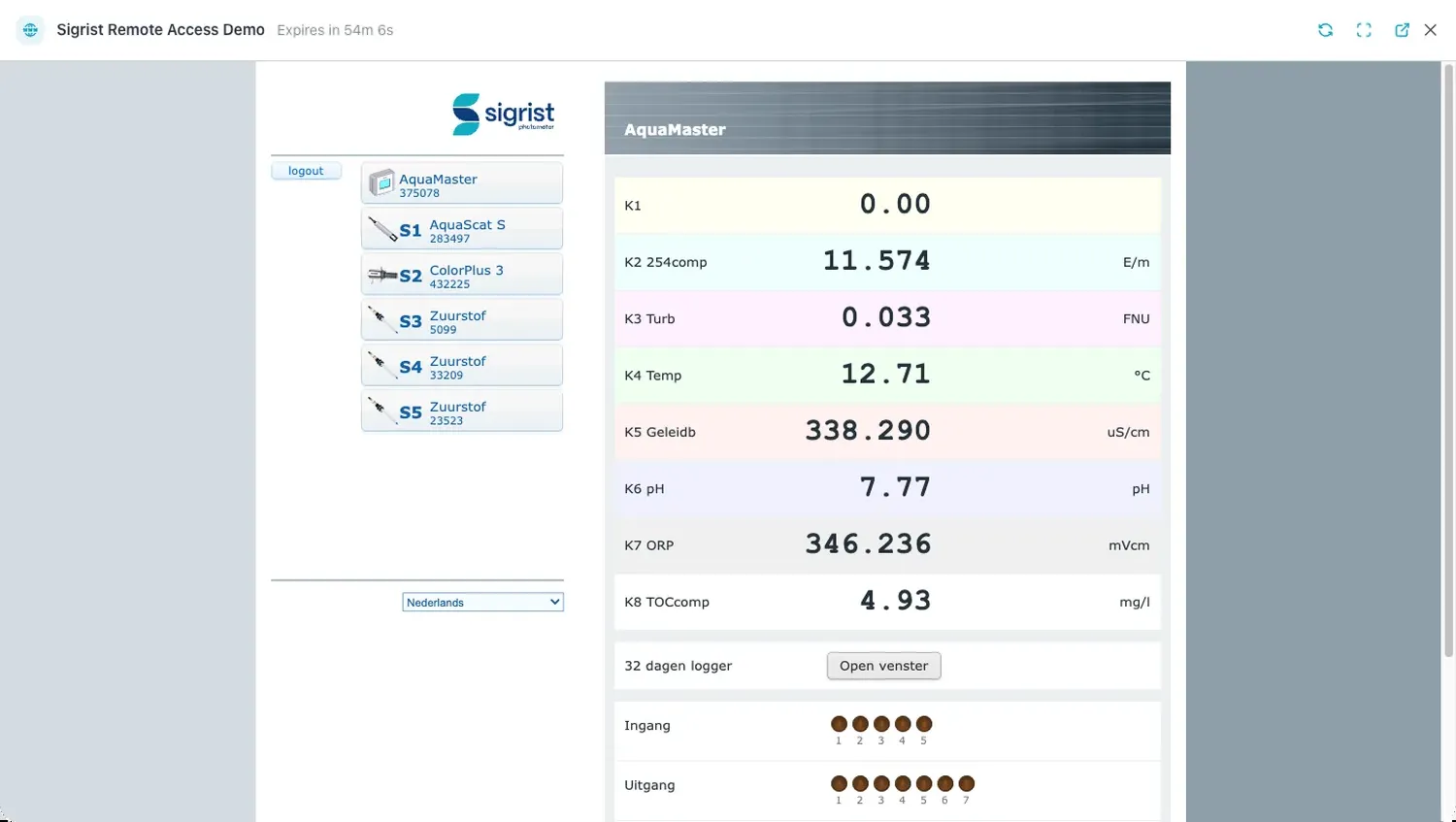 Web interface opens the instrument’s own web page, here a Sigrist AquaMaster with its sensors and live values.
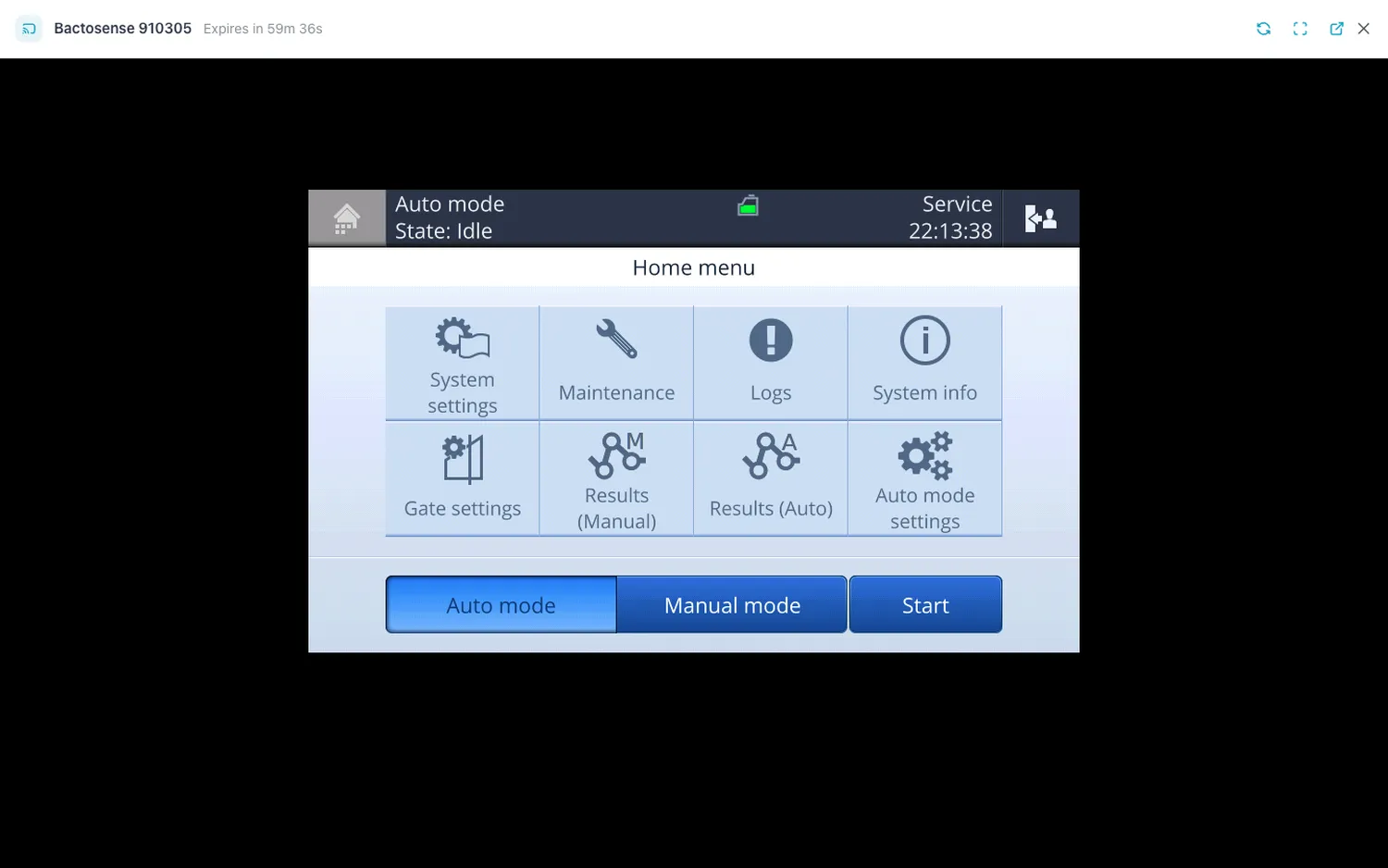 Remote control shows the instrument’s screen, here a Bactosense, in the same window with the same header.
Result: a full-screen window opens with the device name, Expires in … counting down, and the instrument’s page or screen below.
The session window
Section titled “The session window”| Control | What it does |
|---|---|
| Refresh (web interface) | Reloads the instrument’s web page. |
| Reconnect (remote control) | Starts a fresh session. Use it when the screen freezes. |
| Fullscreen | Fills the whole screen. Not on phones. Press Esc to leave. |
| Open in new tab | Opens the session in its own browser tab. Available once the page has loaded. |
A session lasts 60 minutes (your platform operator can change this). When it runs out the window shows Session expired. Click Reconnect to resume. Select Reconnect to start a new one.
When a button is missing
Section titled “When a button is missing”Web interface and Remote control appear only when all three are true:
- You are an Operator, Manager or Admin. Viewers never see them.
- The device is online.
- The router has found that protocol on the instrument: a web interface for Web interface, a VNC screen for Remote control. Many instruments offer only one of the two.
If the device is online and you have the right role but a button is still missing, the router has not found that service on the instrument. Ask whoever set up the site.
If it does not work
Section titled “If it does not work”| Message | What to do |
|---|---|
| Remote access is not available for this device. | The session could not be opened — often because the router or the instrument has gone offline. Select Refresh in the device’s ⋮ menu and try again. |
| Too many sessions created. Please wait before trying again. | You can open at most 10 sessions per minute and 100 per hour. Wait a minute. |
| Session expired. Click Reconnect to resume. | The session reached its time limit. Select Reconnect. |
Related
Section titled “Related”- Devices — the device page
- Manage routers — the router’s Discovered devices
- Roles and permissions