

Follow regate progress
Follow regate progress after a gate was applied to history, to see how far the recompute is, whether samples failed, and when the numbers are final.
-
In the header, select Regate requests (). The icon turns while samples are being recomputed, and carries a red dot when some failed. On a phone, it is in the user menu (your initials).
-
Read the cards: one per request, newest first.
-
To see only requests that lost samples, select Errors only. All requests shows everything again.
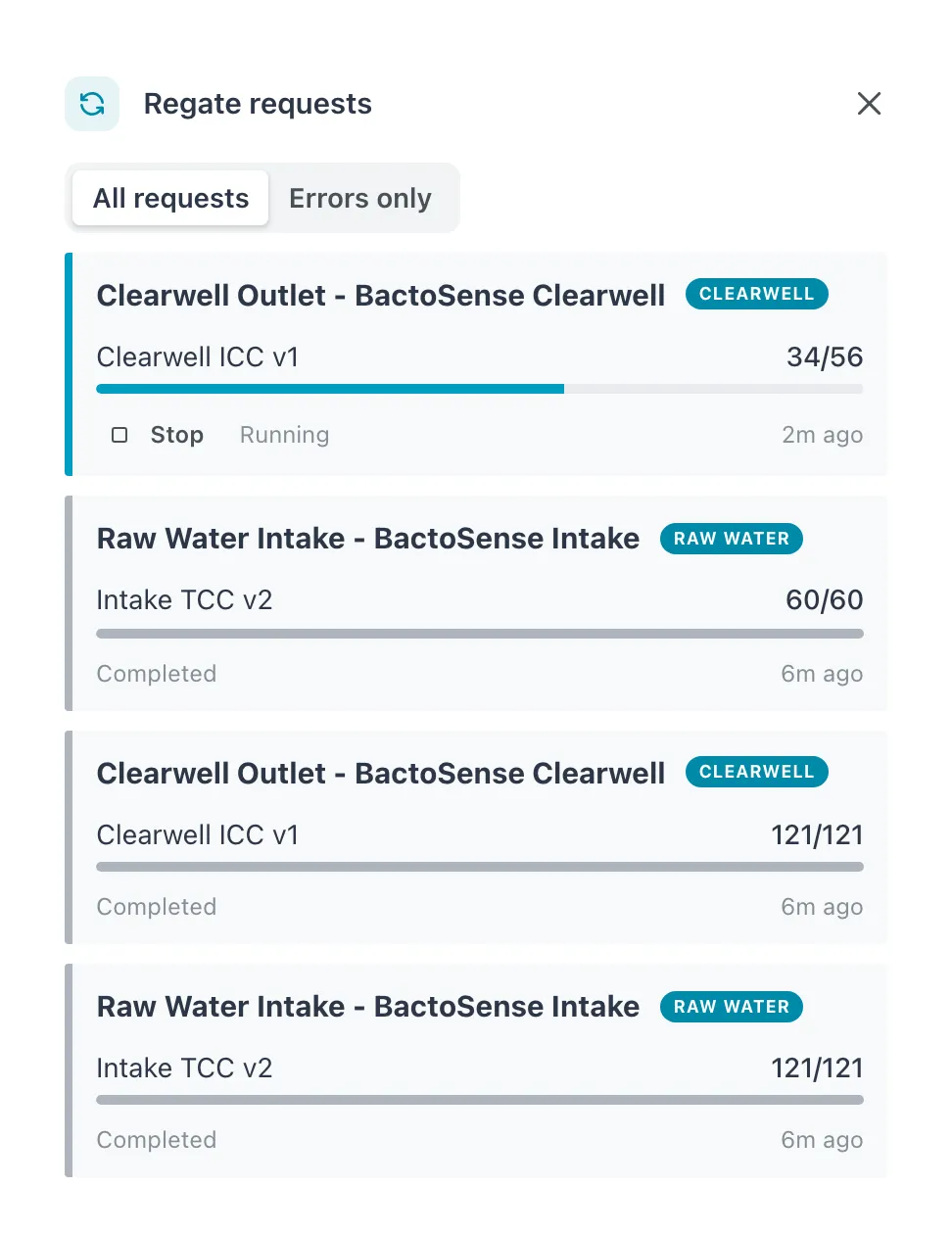 The running request shows how far it has got; the completed ones below it show what they recomputed.
What a card shows
Section titled “What a card shows”| Part | Meaning |
|---|---|
| Heading | The series: location and device, with its tag. |
| N failed (red) | Samples that could not be recomputed. |
| Gate | The gate and version the request applied, for example Intake TCC v3; No library gate when the series was put back on its device’s gating. |
| done/total and bar | Samples recomputed (including failed) against the samples in the request. |
| State | Running, Completed or Stopped. |
| Age | When the request was made, for example 2m ago. |
The drawer keeps requests for 90 days. When there are none it says Nothing recomputed in the last 90 days, or with Errors only, No failures in the last 90 days.
Stop a running request
Section titled “Stop a running request”Select Stop on a Running card. The card changes to Stopped. Samples already recomputed keep their new numbers; the rest keep their old ones. To recompute them later, apply the gate to history again.
Stop appears only for a Manager or Admin. Other roles see the card and how far it has got, without the button.
In the sample list
Section titled “In the sample list”While a request runs, samples waiting for it show a gray mark on the card and beside the sample’s heading: Queued to be recomputed with a newer gate. The numbers you see are the old ones until the mark goes.
An orange mark means the recompute failed (Recomputing failed…). The sample keeps its previous numbers.