

Create a location
Create a location for each place where instruments stand, before you create the devices there.
Before you start, decide which tag the location’s data should be filed under — for example
raw for an intake. You can pick an existing tag or create one in the dialog.
-
In the left navigation, open Locations.
-
Select Create location.
-
Fill in the fields (see the table below). The map on the right shows the address as you type.
-
Check that the pin on the map is in the right place.
-
Select Create location. The button stays disabled until every required field is filled in.
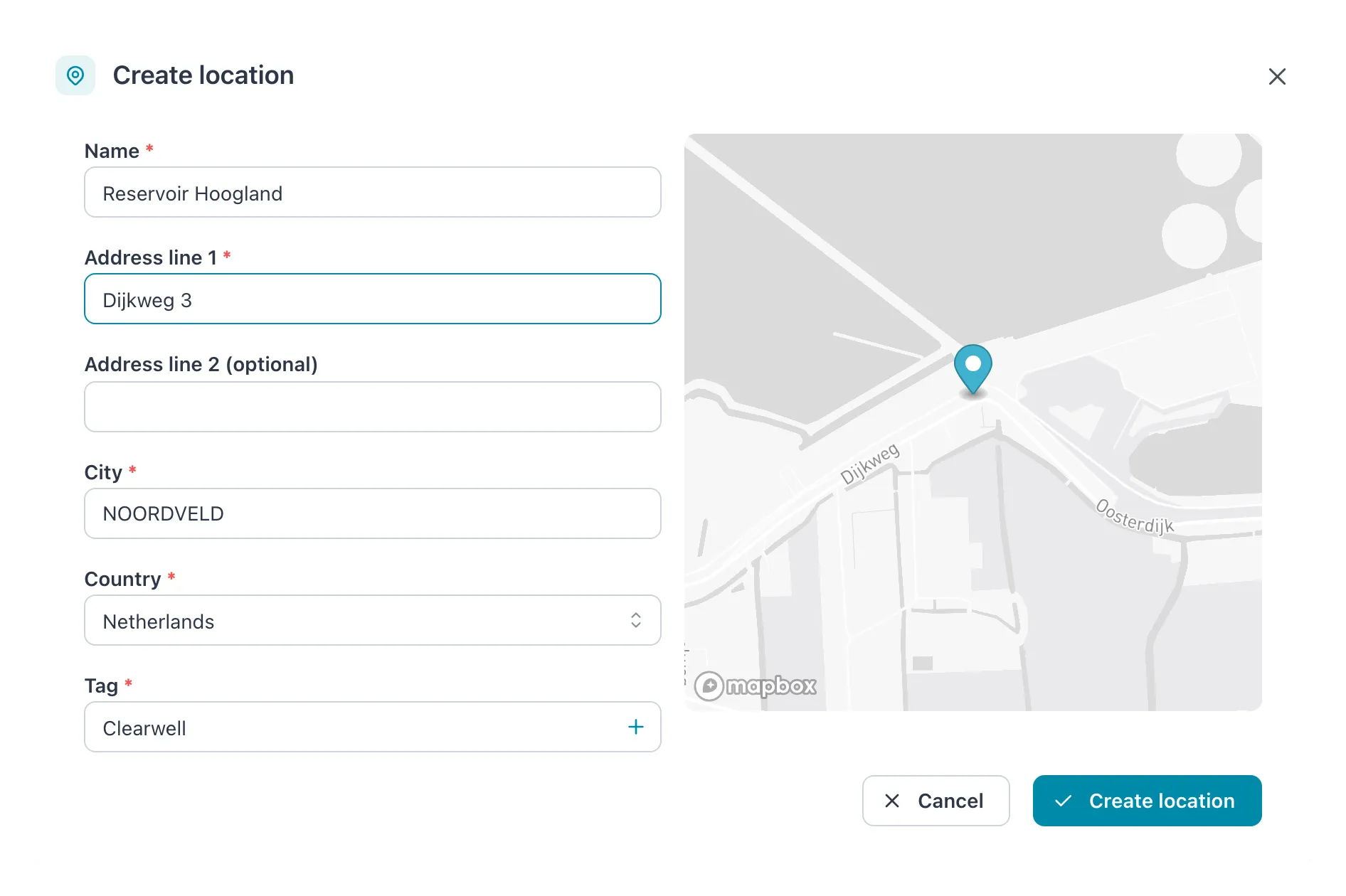 The map follows the address as you type. Check that the pin is in the right place before you create the location.
| Field | What to enter |
|---|---|
| Name | The name people will see in lists and charts, for example Raw Water Intake. Unique within the workspace. |
| Address line 1 | Street and number. |
| Address line 2 (optional) | Anything else the address needs. |
| City | The city. It is changed to capitals as you type. |
| Country | Search by name. |
| Tag | The one tag for data from this location. Choose an existing tag, or select the + button beside the field to create one. |
Result: the message Location created successfully appears and the new location’s page opens, ready for you to create its devices.
The map preview
Section titled “The map preview”About a second after you stop typing, the map looks up the address. While it does, it shows Previewing address on map; then it shows the address with a pin. If it cannot find the address, it says Could not find coordinates for this address — check the spelling and the country. The map is only a preview: Cytometa Cloud looks the address up again when you save.
- Name, Address line 1, City, Country and Tag are required.
- The name must be unique within the workspace.
- A location has exactly one tag, and it cannot be changed after the location is created. Choose it with care.
If it does not work
Section titled “If it does not work”| Message | What to do |
|---|---|
| A location with this name already exists. | Choose another name. |
| Failed to create location. Please try again. | Often the address could not be found. Check it until the map shows a pin, then try again. |
| A tag with this name already exists. | You tried to create a tag that exists. Choose it from the list instead. |