

Sigrist AquaScat 2
The Sigrist AquaScat 2 is a turbidimeter. It has one measurement channel and two analog inputs. The router reads it over Modbus; its web interface is not supported. The device page shows the latest value of each channel’s metric; there is no instrument Status card.
The device type covers the AquaScat 2 WTM, WTM A, HT and P.
Configure an AquaScat
Section titled “Configure an AquaScat”Set which metric each of the instrument’s channels holds.
-
In the left navigation, open Devices and select the AquaScat.
-
Open the menu (⋮) and select Edit.
-
Select the Configuration tab.
-
Set the fields (see the table below).
-
Select Save.
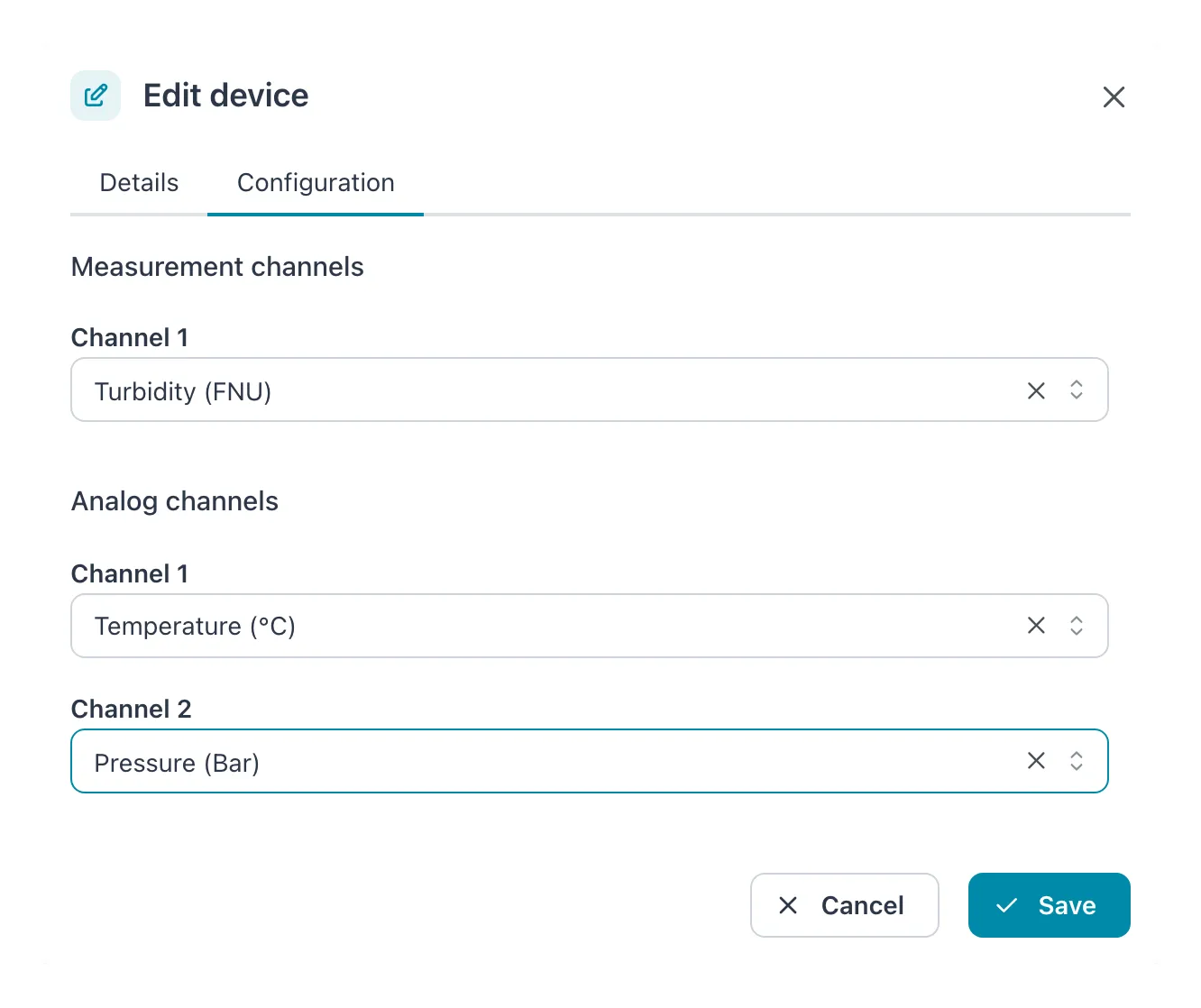 One measurement channel and two analog channels, each mapped to a metric.
| Field | Allowed values | Default | What it does |
|---|---|---|---|
| Measurement channels › Channel 1 | A metric, or empty | Empty | The metric the measurement channel carries, usually turbidity. |
| Analog channels › Channel 1 and Channel 2 | A metric, or empty | Empty | The metric each analog input carries. |
Result: the message Settings updated successfully appears and the dialog closes.
- Each metric can be on one channel only. A metric already chosen for another channel is grayed out in the list.
- The channel lists offer the metrics of this workspace. If the one you need is missing, add it first under Add and edit metrics.
- A channel left empty is not read.
If it does not work
Section titled “If it does not work”| Problem | What to do |
|---|---|
| A channel shows no values | Check that the channel is mapped to a metric and that the instrument has that channel in use. |
| The measurement channel shows no values | Check that the instrument answers on Modbus TCP port 502 and that the router reaches its IP address. |