

Hand-gate a sample
Hand-gate a sample when one measurement is unusual — a shifted population, a clump, a disturbance — and the series’ gate counts it wrongly, while the gate is right for the samples around it. The gate you draw applies to this sample only.
-
In Flow Cytometry, select the sample.
-
Select Analyze sample.
-
Draw the gate, the ACC region and the HNA split for this sample, as in Edit a gate.
-
Select Save gate.
-
Under What does this apply to?, leave This sample selected.
-
Select Save gate.
Result: the message Gate saved appears. The sample is recomputed at once: its tiles and plots show the new numbers, Gate reads Hand-gated with the badge This sample only, and the earlier numbers are in its Calculation history as the row below the current one.
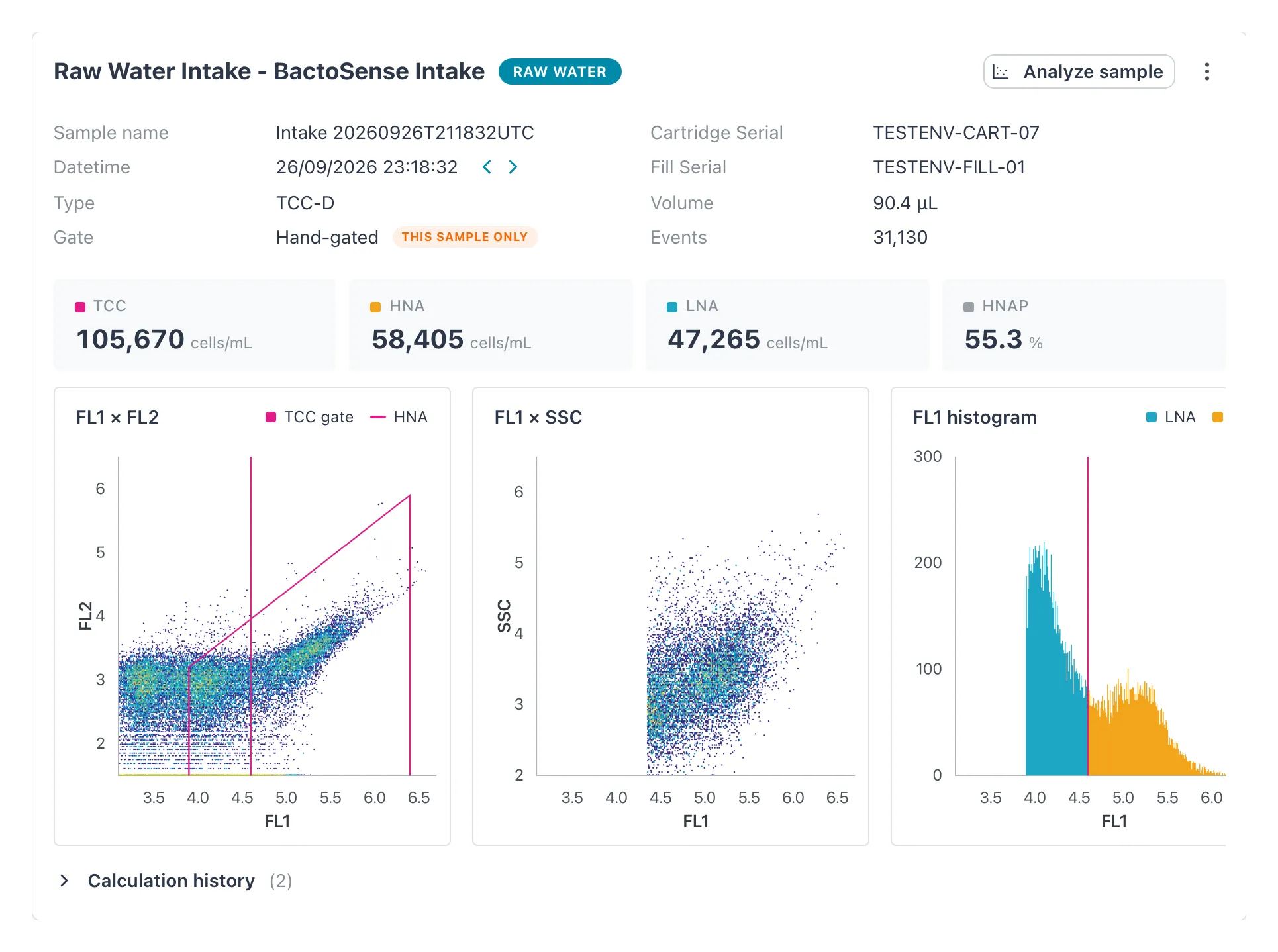 Hand-gated with This sample only: this sample keeps its own gate when its series’ gate changes.
What hand-gated means
Section titled “What hand-gated means”- The sample no longer follows its series. New versions of the series’ gate, and history recomputes, leave it alone — permanently, until you put it back.
- Nothing else changes: not the series, not the gate library, not other samples.
- The hand gate is not stored in the gate library.
Put a sample back on its series’ gate
Section titled “Put a sample back on its series’ gate”-
Select the hand-gated sample.
-
Open its menu (⋮) and select Use the series’ gate.
Result: the message This sample now follows its series appears and the sample is recomputed with the gate its series follows — or, if the series follows none, with the gate its instrument sent.
You can do the same from the gate editor: open Analyze sample on the hand-gated sample and select Use the series’ gate at the bottom left.
If it does not work
Section titled “If it does not work”| Message | What to do |
|---|---|
| Could not switch back to the series’ gate | Nothing changed. Reload the page and try again. |
| Use the series’ gate is missing | The sample is not hand-gated, or you do not have the Manager or Admin role. |
Related
Section titled “Related”- How gating works
- Edit a gate
- Flow Cytometry — the calculation history