

Export results and FCS files
Export results for reporting or your own analysis in a spreadsheet. Download FCS files when you need the raw measurements, for example to analyze them in other flow-cytometry software.
Export results
Section titled “Export results”-
In Flow Cytometry, select the series under Series. With none selected, the export covers every series in the workspace.
-
Select the period.
-
Select Export results at the top right. On a narrow screen it is in the page’s menu (⋮).
Result: Export started appears, then Export completed, and your browser saves an Excel file (.xlsx) with one sheet, Samples, one row per sample.
| Column | Content |
|---|---|
| Location name, Device name, Serial number, Tag name | Where the sample comes from. |
| Sample datetime | When it was measured, in the workspace’s time zone. The column header names the zone used. |
| Sample name, Type | As on the screen; type TCC-D or ICC-A. |
| TCC or ICC | The primary count in cells/mL; the other column is empty. |
| LNA, HNA | In cells/mL. |
| HNAP | The HNA share, as a percentage. |
| Warnings | TRUE or FALSE. |
| Warning details | Each warning as code: description, one per line. |
The numbers are the sample’s current ones — after any recompute. ACC is not exported.
Limits. The export covers the whole period, not only the page on screen. It stops at 1,000,000 rows; the last row then reads Export truncated: maximum of 1,000,000 rows reached. Not all data was exported. Split the period to get the rest.
Download the FCS files of a page
Section titled “Download the FCS files of a page”-
Select the series and the period, and go to the page of the list you want.
-
Select the download icon (, Confirm download) under the list, beside the pager.
-
The dialog says You are about to download N FCS files (~size compressed). Do you want to continue? Select Download.
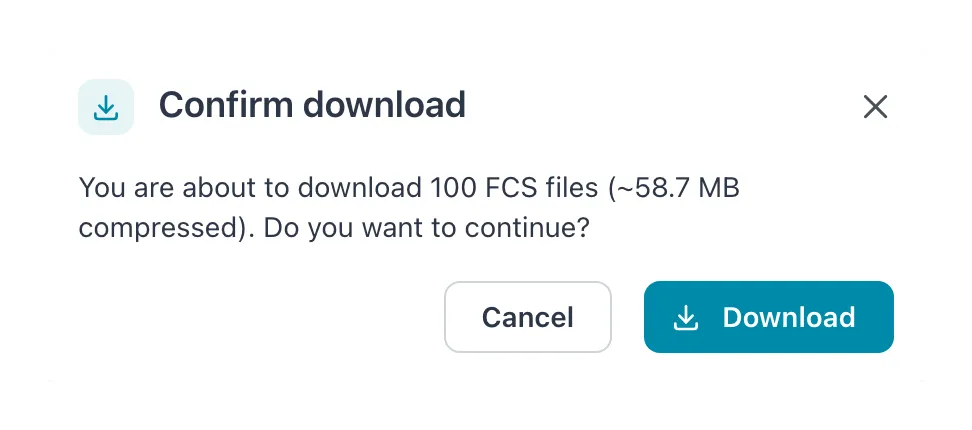 The dialog says how many FCS files are on this page and roughly how large the download is.
Result: Download started appears, then Download completed, and your browser saves a zip file with the FCS files of the samples on that page.
A page holds at most 100 samples, and so does one download. For more, go to the next page and download again. Samples without an FCS file are left out.
Download one sample’s FCS file
Section titled “Download one sample’s FCS file”Select the sample, open its menu (⋮) and select Download sample file.
If it does not work
Section titled “If it does not work”| Message | What to do |
|---|---|
| Something went wrong while exporting. Please try again. | Try again; for a very long period, shorten it. |
| Something went wrong while downloading. Please try again. | Try again. |
| The download icon is disabled | There are no samples on the page. |