

Sigrist Sicon / AquaMaster
Sigrist transmitters — Sicon M, Sicon XX 40 and AquaMaster — read the sensors connected to them and pass their values on, one channel per sensor. The router reads the transmitter over Modbus or over its web interface (HTTP). The device page shows the latest value of each channel’s metric; there is no instrument Status card.
Configure a Sicon
Section titled “Configure a Sicon”Choose how the router reads the transmitter and which metric each of its channels holds.
-
In the left navigation, open Devices and select the Sicon.
-
Open the menu (⋮) and select Edit.
-
Select the Configuration tab.
-
Set Transport, then the other fields (see the table below).
-
Select Save.
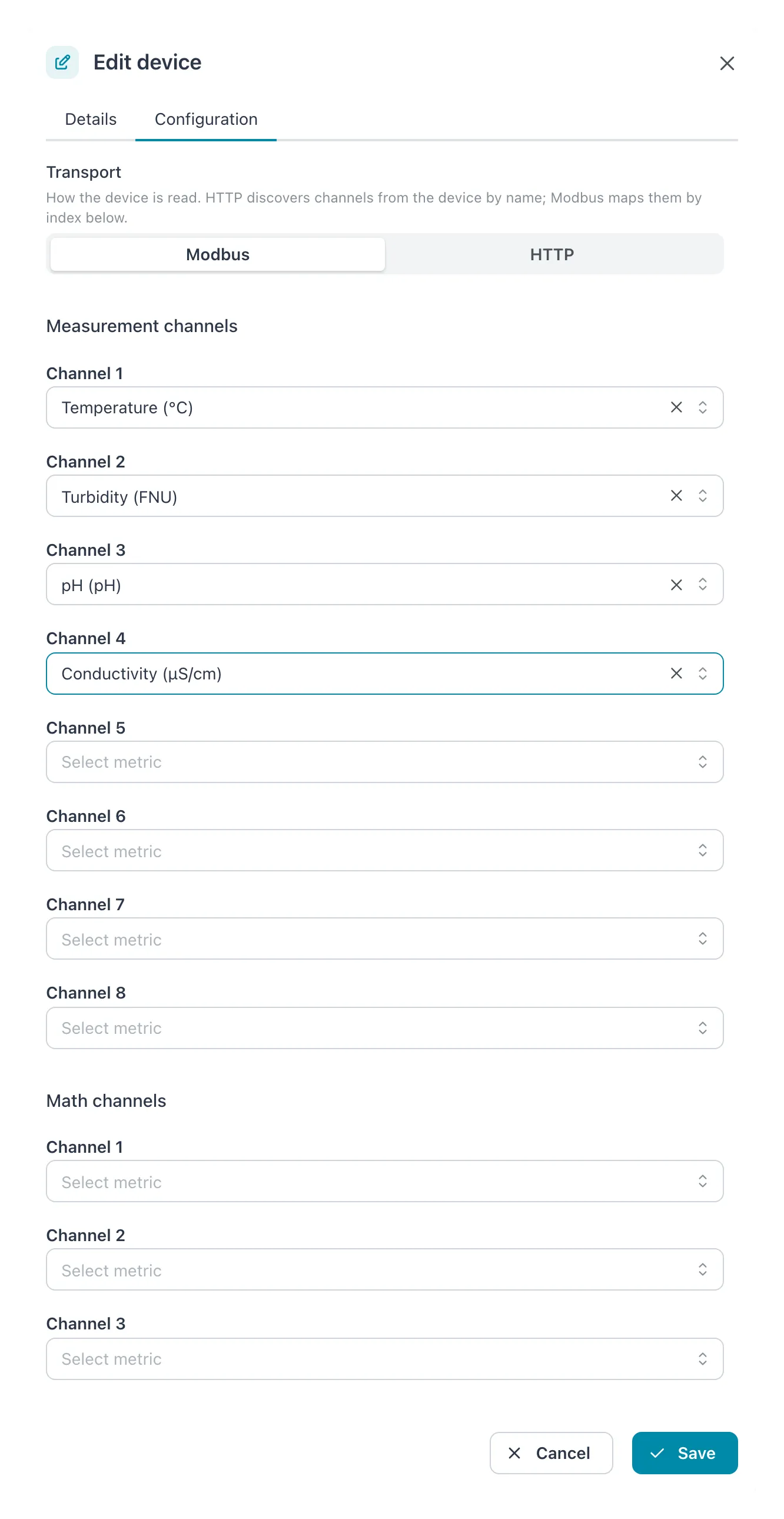 On Modbus each channel number is mapped to a metric; under HTTP the channels are found by name.
| Field | Allowed values | Default | What it does |
|---|---|---|---|
| Transport | Modbus or HTTP | Modbus | How the router reads the instrument. See below. |
| Web access code | Text | 0 (the Sigrist default) |
HTTP only. The login code of the instrument’s web interface. |
| Measurement channels › Channel 1 to Channel 8 | A metric, or empty | Empty | Modbus only. The metric each measurement channel carries. |
| Math channels › Channel 1 to Channel 3 | A metric, or empty | Empty | Modbus only. The metric each calculated channel carries. |
Result: the message Settings updated successfully appears and the dialog closes.
Modbus or HTTP
Section titled “Modbus or HTTP”- Modbus reads channels by number. You tell Cytometa Cloud which metric sits on which channel, with the channel lists. A channel left empty is not read.
- HTTP reads the instrument’s web interface and takes each channel by the name set on the instrument. The channel lists are grayed out: the instrument’s channel names become the metric IDs.
When you switch a device that is on Modbus to HTTP, the dialog warns: In HTTP mode metric IDs come from the device’s own channel names. Existing series may need a metric alias mapping the device name to the current metric to keep their history. A channel name that is not yet a metric in the workspace shows up under Resolve pending metrics. Map it to the metric the channel carried on Modbus, and new values continue the same series.
Your channel mapping is kept while the device is on HTTP. Switch back to Modbus and it is used again.
- Each metric can be on one channel only. A metric already chosen for another channel is grayed out in the list.
- The channel lists offer the metrics of this workspace. If the one you need is missing, add it first under Add and edit metrics.
If it does not work
Section titled “If it does not work”| Problem | What to do |
|---|---|
| A channel shows no values | On Modbus: check that the channel number matches the channel on the instrument. On HTTP: look for the channel name under Resolve pending metrics. |
| A series stopped after switching to HTTP | Its values now arrive under a new metric ID. Add an alias from the device’s channel name to the old metric. |