

Settings
Settings is where you set up the things the rest of the app is built on: the tags, metrics and gates of the current workspace, and — for organization administrators — the workspaces, users, routers, time zone, security policy and API clients of the whole organization.
Open it with the gear () at the bottom of the left navigation. The gear is only there for users who can change something in Settings — Managers, Admins and organization administrators.
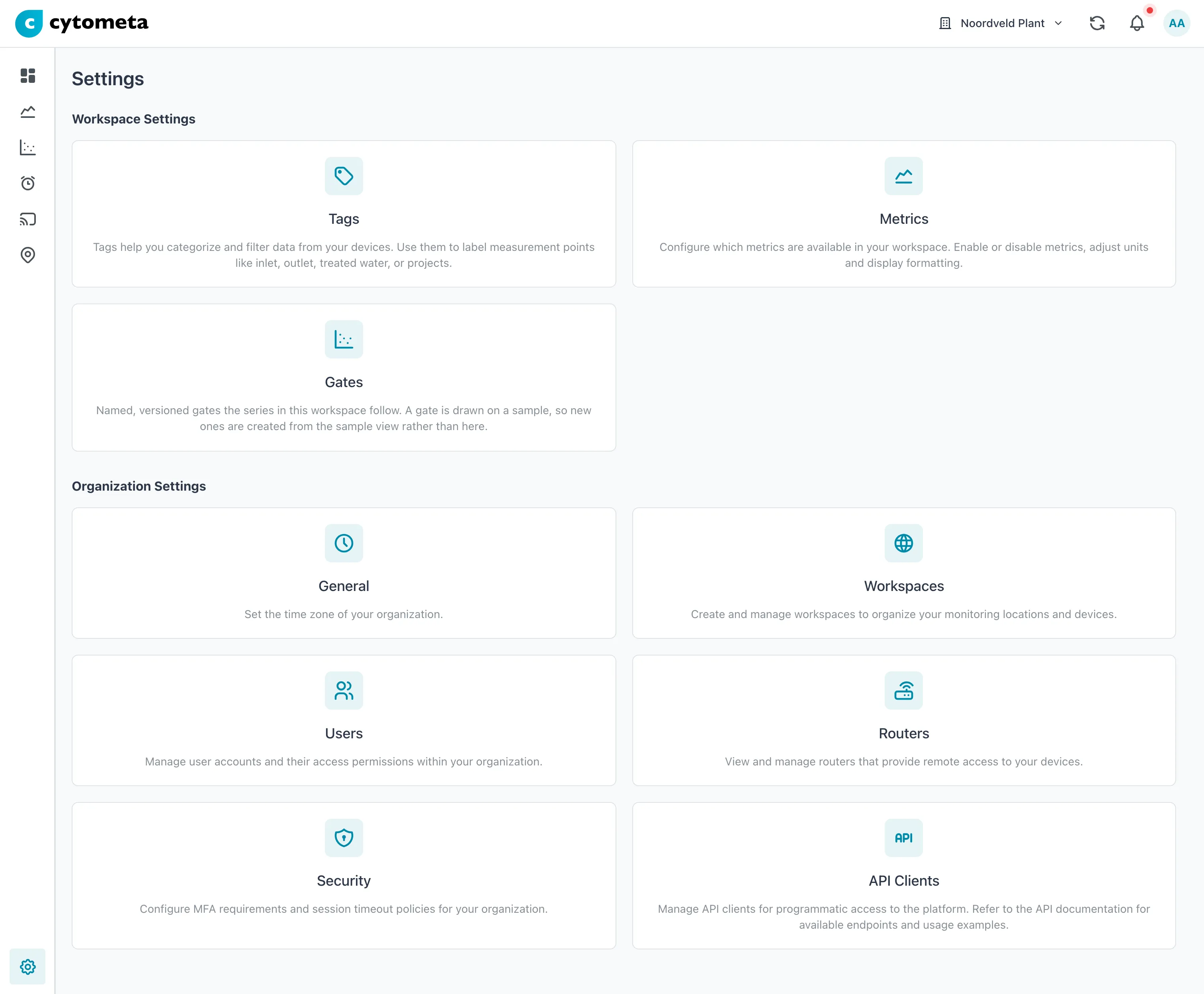 The page as an organization administrator sees it. Managers and Admins see only Workspace Settings.
What is on the page
Section titled “What is on the page”The page has two sections of cards. Select a card to open that settings page. The back arrow () beside each settings page’s title takes you back to the page you came from.
Workspace Settings
Section titled “Workspace Settings”These apply to the workspace you are working in. To change another workspace’s settings, switch to that workspace first with the workspace switcher in the header (on a phone, in the user menu (your initials)).
| Card | What you do there |
|---|---|
| Tags | Create the tags that label locations and their series, such as inlet or outlet. See Manage tags. |
| Metrics | Choose which metrics the workspace uses, set their unit, decimals and expected range, and create custom metrics. See Add and edit metrics. Unknown metric IDs sent by a router also land here: Resolve pending metrics. |
| Gates | See the named, versioned gates that the flow-cytometry series follow, rename or archive them. See Manage the gate library. |
Organization Settings
Section titled “Organization Settings”These apply to the whole organization, across all its workspaces.
| Card | What you do there |
|---|---|
| Workspaces | Create, rename, disable and delete workspaces. See Manage workspaces. |
| Users | Invite people and give them an organization role and a role in each workspace. See Invite and manage users. |
| Routers | Check your routers and assign them to a workspace. See Manage routers. |
| General | Set the organization’s time zone, used for dates in notifications. See Set the time zone. |
| Security | Require multi-factor authentication and set session timeouts. See Set the security policy. The same page holds Allow service provider access when your organization has a service provider. |
| API Clients | Create credentials for software that reads data through the REST API. See Manage API clients. |
Who sees what
Section titled “Who sees what”| Role | Gear in the navigation | Workspace Settings | Organization Settings |
|---|---|---|---|
| Viewer, Operator | No | Not reachable from the navigation. Opened by its web address, the pages are read-only: no create, edit or delete actions. | Not shown |
| Manager, Admin | Yes | All three cards, with full rights to create, edit and delete. | Not shown |
| Organization administrator | Yes | All three cards, with full rights | All six cards |
The Organization Settings section only appears for organization administrators. See Roles and permissions for the complete picture.