

Apply a gate to history
Apply a gate to history when the samples a series has already measured were counted with the wrong gate, and their numbers — and the charts built from them — need correcting. The save works as in Edit a gate, and also recounts every sample measured since a day you pick.
Before you start, know from which day the old gate was wrong. Recounting a long history is a large job; pick the day the problem started rather than as far back as possible.
-
Open the sample and draw the gate as described in steps 1 to 7 of Edit a gate.
-
Select Save gate.
-
Check the six preview plots.
-
Under What does this apply to?, choose This series, including history.
-
Under Where does the geometry go?, choose New version of gate, Follow gate as it is, or A new gate for this series, and fill in Gate name and Note if asked.
-
In From, pick the first day to recompute. Nothing before it changes.
-
Read the count below the date, for example Recompute 120 samples measured since 01/09/2026. 2 hand-gated samples are left unchanged.
-
Select Save gate.
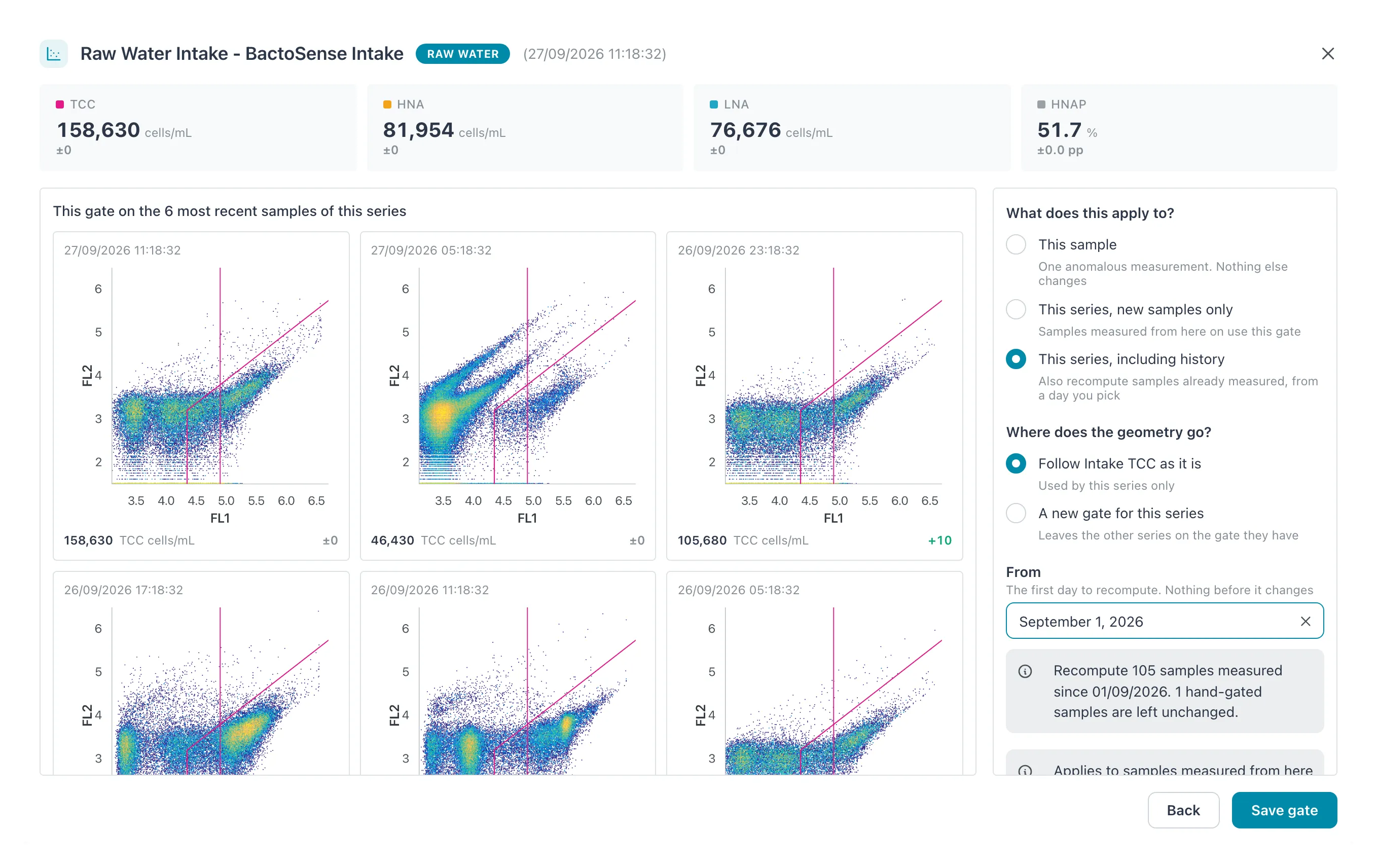 The count below From says how many samples will be recomputed and how many hand-gated ones stay as they are.
Result: the message Gate saved appears and the editor closes. The recompute runs in the background: the header’s Regate requests icon turns while it works, samples waiting in the list carry a gray mark, and their numbers update as they are done. Follow it in Follow regate progress.
Rules and limits
Section titled “Rules and limits”- From is required. It cannot be earlier than the series’ first sample, nor more than one year before today, nor in the future.
- Hand-gated samples are never recomputed; the count says how many are left alone.
- Only this series is recomputed. A new version also moves other series that follow the gate, but only for their new samples.
- Every recomputed sample keeps its earlier numbers in its Calculation history.
- The FCS files and the FL1 × FL2 density plots are not changed.
Put a series back on its device’s gating, with history
Section titled “Put a series back on its device’s gating, with history”To detach a series from its library gate and recount its history with the gate each instrument sent: pick Device gate under Working from, change nothing, select Save gate, choose This series, including history, pick From and select Clear gate.
If it does not work
Section titled “If it does not work”| Message or symptom | What to do |
|---|---|
| Pick the day to recompute from | Fill in From. |
| A day cannot be picked | It is before the series’ first sample or more than a year ago. |
| Some samples keep an orange refresh mark | Their recompute failed. See Follow regate progress. |